Best Fire Safety Software for Building Emergency Management
Choose fire safety software by comparing how each option handles plans, roles, training, roll call, records, and property-specific emergency workflows.
Best fire safety software is not just a messaging tool, inspection form, or shared folder. For property managers, building owners, facility managers, condo and strata managers, and operations leads, the right platform should connect emergency plans, Persons Requiring Assistance (PRA) information, warden responsibilities, tenant or resident communication, drills, training records, and portfolio oversight.
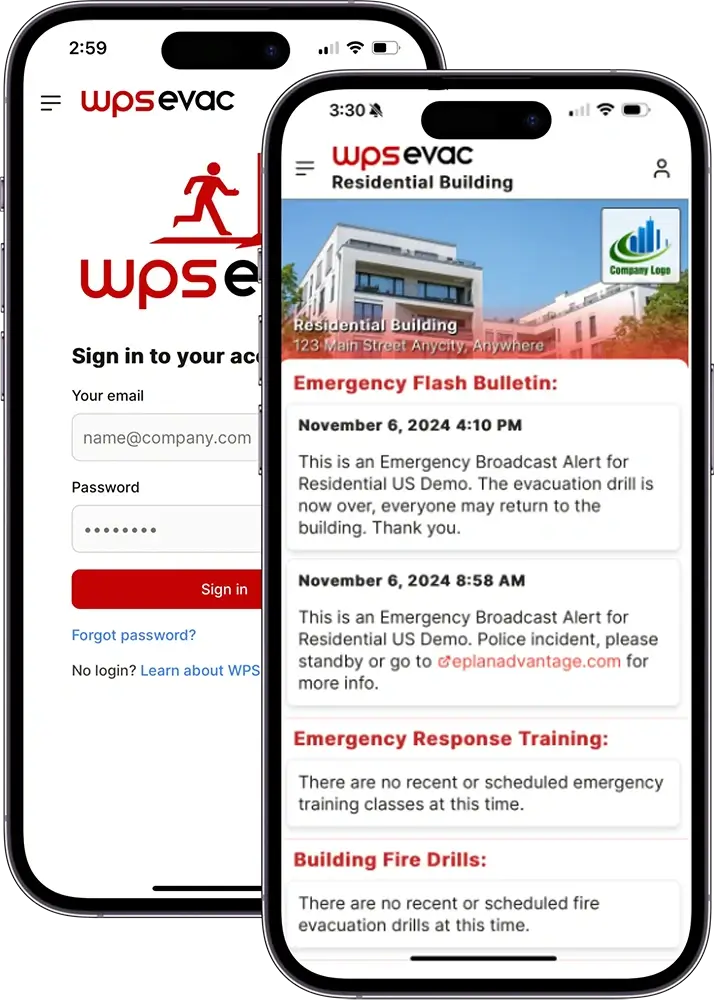
WPS Evac Software is built for commercial, mixed-use, and residential buildings that need a dedicated fire and life-safety system alongside existing operations tools. Commercial WPS Evac Software & App supports Corporate, Managers, and Tenants access levels, while Residential WPS Evac App and Software focuses on tenant communication, automated roll call, app adoption tracking, evacuation status, and residential activity logs.
- 40+ years
- Thousands of buildings
- SOC 2 compliant












Why Paper, Spreadsheets, and General Platforms Fall Short
Manual tools can store information, but they often make it difficult to prove readiness, update roles, and coordinate people during drills or incidents.
Paper binders can become outdated, spreadsheets can fragment responsibilities, and shared drives depend on everyone knowing which file is current. Mass notification systems can send alerts, but they may not manage fire safety plans, PRA lists, warden teams, training completion, drill records, or live roll call in one building-specific workflow.
A buyer’s guide should also compare adjacent tools honestly. Access control mustering may help with badge-based headcounts, property platforms may help with notices and work orders, and corporate workplace safety or Environment, Health and Safety (EHS) tools may support enterprise reporting, but building fire and life-safety operations often need more specific plan, role, tenant, and record workflows.
✦ Use this before your demo
Fire Safety Software Buyer’s Guide
A fire safety software buyer’s guide is a structured evaluation framework for comparing building emergency-management tools against operational, documentation, communication, and accountability needs.
The goal is to avoid buying a tool that solves only one part of the problem. Property teams should evaluate whether the system supports plan management, PRA identification, wardens, roll call, drills, training records, multi-tenant access, residential workflows, commercial delegation, and portfolio visibility.
Use this page as the hub for deeper comparison pages on paper versus digital records, tenant apps versus emergency apps, mass notification versus emergency-management software, and portfolio compliance.
How to Choose Evacuation Software
Choosing evacuation software works best when buyers compare each option against the building program, not just a feature list.
1. Map the emergency program
Start with your fire safety plans, multi-hazard procedures, emergency contacts, drill requirements, warden structure, and tenant or resident participation needs.
2. Compare the main software categories
Review paper binders, spreadsheets and shared drives, mass notification, access control mustering, property platforms, corporate workplace safety tools, inspection software, form builders, and dedicated building fire and life-safety software.
3. Check plan and role management
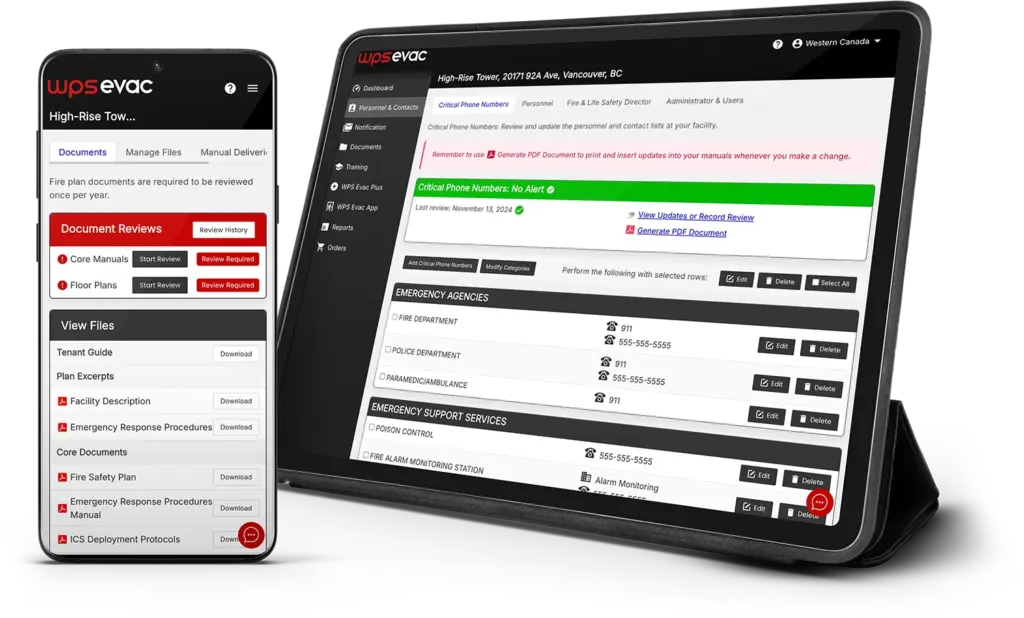
Commercial WPS Evac Software & App stores fire safety plans, multi-hazard plans, procedures, and related documents in a cloud-based system, with Corporate, Managers, and Tenants access levels.
4. Evaluate communication and accountability
Commercial WPS Evac supports communication templates, SMS or email broadcasts, emergency contacts, evacuation status, and roll call through check-in and alert reporting tools.
5. Confirm residential needs separately
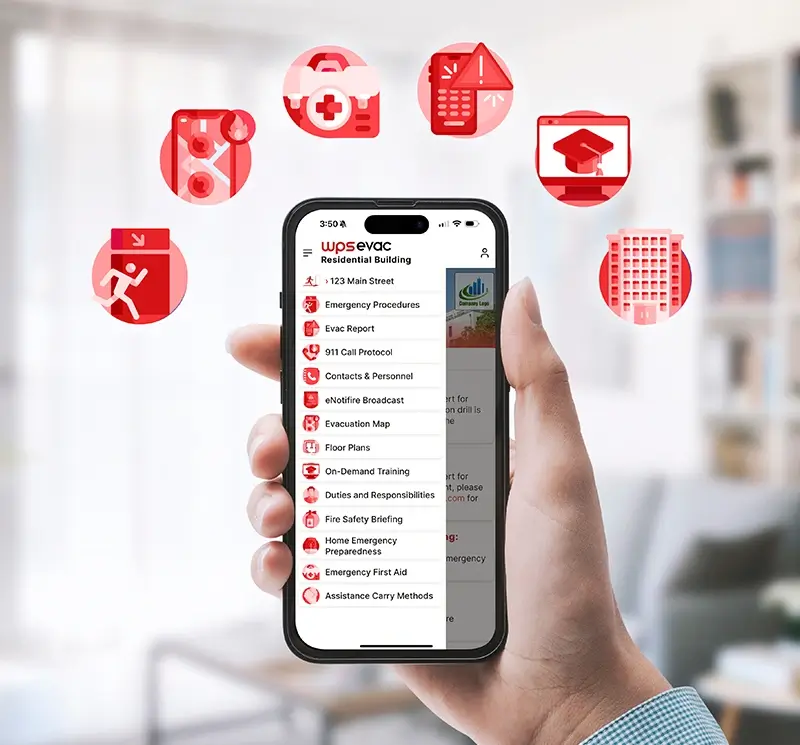
Residential WPS Evac App and Software supports SMS, text-to-speech, and email notifications where available, automated phone roll call, tenant evacuation status, emergency procedures, app-installation tracking, and activity logs.
6. Ask how records are maintained
Look for drill records, training completion records, emergency contacts, activity logs, reporting, and on-demand training records that are automatically logged in the software.
Fire Life Safety Software Checklist for Commercial Properties
Commercial buildings need delegated responsibility, portfolio oversight, tenant participation, and records that connect back to the approved emergency plan.
Commercial WPS Evac Software & App is designed for organizations managing one or multiple commercial properties. Corporate users can monitor portfolio activity by region or building type, Managers can oversee building-level tasks, and Tenants can help maintain floor warden teams and identify Persons Requiring Assistance (PRA).
Use this commercial checklist when comparing emergency software for property managers:
- Fire safety plans, multi-hazard plans, procedures, and related documents
- Compliance dashboard and task alerts
- Corporate, Managers, and Tenants access levels
- Tenant application for floor wardens and PRA responsibilities
- Communication templates and SMS or email broadcasts
- Drill records, training completion records, emergency contacts, and reporting
- WPS Evac Mobile App access to role-based procedures
- Roll call, evacuation status, and alert reporting tools
- Building information for staff and first responders
Fire Safety Software for Residential and Multi-Family Buildings
Residential buildings need resident-facing communication, participation tracking, and simple evacuation-status workflows that differ from commercial warden-team administration.
Residential WPS Evac App and Software supports apartments, condominiums, strata communities, and multi-family buildings. It gives Corporate users portfolio oversight, Managers tools to send alerts and run roll call, and Tenants mobile procedures, real-time alerts, and check-in tools.
Residential comparison criteria should include emergency procedures, tenant app adoption tracking, tenant management and participation records, automated phone-broadcast roll call, evacuation status, SMS, text-to-speech, and email notifications where supported. Because residential app launch status and regional availability may affect wording, confirm final availability before publishing detailed app claims.
How WPS Evac Connects Fire Safety Plans, Training, and Roll Call
WPS Evac connects emergency documentation, mobile procedures, communication, training, and records so teams are not managing life-safety readiness across disconnected tools.
- Store building-specific plans with Commercial WPS Evac Software & App.
- Support residential procedures, alerts, and roll call with Residential WPS Evac App and Software.
- Pair fire planning with multi-hazard emergency plans where buildings need broader emergency procedures.
- Give authorized users access to app download resources through WPS Evac download links.
- Assign on-demand emergency training with automatic completion records in the software.
- Use instructor-led emergency training when teams need facilitated training for staff, wardens, or occupants.
- Add WPS Evac Plus when the team wants WPS support administering key fire and life-safety tasks.
Is Fire Safety Software Required for Buildings?
Requirements vary, but many building emergency programs must maintain plans, procedures, assigned responsibilities, training, drills, and records under applicable U.S. and Canadian requirements.
In the United States, Occupational Safety and Health Administration 29 Code of Federal Regulations 1910.38 addresses emergency action plan elements such as reporting procedures, evacuation routes, employee accountability after evacuation, rescue or medical duties, employee alarms, and training. The International Fire Code also addresses emergency planning, preparedness, training, drills, and records.
In Canada, National Fire Code-based fire codes and Canadian Centre for Occupational Health and Safety guidance describe fire safety plans as building-specific documents that can include evacuation procedures, duties for supervisory staff, assistance for occupants needing help, drills, training, emergency systems, and records. WPS Evac Software helps organize and document these workflows, but requirements vary by jurisdiction and the software itself does not make a building compliant.
- Reporting procedures
- Evacuation routes
- Employee accountability after evacuation
- Training
- Drills and records
- Evacuation procedures
- Duties for supervisory staff
- Assistance for occupants needing help
- Drills and training
- Records
How to Compare Emergency Software for Property Managers
A strong implementation plan asks how the software will fit the building’s current plan, current tools, and actual operating team.
1. Gather existing materials
Start with current fire safety plans, emergency procedures, tenant or resident lists, emergency contacts, training records, and drill records.
2. Choose the right access model
Commercial teams should confirm Corporate, Managers, and Tenants access needs. Residential teams should confirm manager tools, tenant participation, app adoption tracking, and roll call workflows.
3. Review vendor setup responsibilities
Ask vendors what they configure, what your team must supply, how long onboarding takes, and how existing plans are brought into the system.
4. Confirm ongoing administration
Ask whether reminders, records, training completion, notifications, and roll call activity stay organized after launch. WPS Evac Plus is available for teams that want help administering key fire and life-safety tasks.
Bring these to your demo
- Current fire safety plans
- Emergency procedures
- Tenant or resident lists
- Emergency contacts
- Training records
- Drill records
Every new WPS Fire Safety Plan or Multi-Hazard Emergency Plan developed by WPS includes a free 1-year WPS Evac subscription to the full software and mobile app.
Best Fire Safety Software Evaluation Criteria
Best fire safety software should be evaluated by how well it connects emergency plans, people, communications, training, and records across one building or a full portfolio.
What does it do?
It helps property and operations teams manage building-specific emergency plans, role-based procedures, PRA information, communication, roll call, drills, training records, emergency contacts, and reporting.
How does WPS Evac handle it?
WPS Evac Software combines cloud-based plan and document management, WPS Evac Mobile App procedures, commercial access levels, residential alerts and roll call workflows, on-demand training completion records, and optional WPS Evac Plus support.
Who is it for?
It is for property managers, building owners, facility managers, condo and strata managers, and operations leads comparing paper binders, spreadsheets, shared drives, mass notification, access control mustering, property platforms, EHS tools, and dedicated fire and life-safety software.
Fire Safety Software Buyer’s Guide Questions
These questions help buyers evaluate whether a platform is built for building fire and life-safety operations or only solves a narrower communication, inspection, or documentation problem.
What features should building emergency software have?
Building emergency software should support emergency plans, procedures, assigned roles, Persons Requiring Assistance (PRA) information, wardens, roll call, drills, training records, emergency contacts, notifications, multi-tenant access, residential workflows, and portfolio reporting. WPS Evac includes these capabilities where they apply to commercial or residential use cases.
How is dedicated fire safety software different from mass notification?
Mass notification tools focus on sending alerts. Dedicated fire safety software should also manage the plan, records, roles, procedures, PRA information, training, roll call, and building-specific emergency workflows that support readiness before and after a message is sent.
Can paper binders or spreadsheets replace WPS Evac Software?
Paper and spreadsheets may store information, but they are harder to keep current across tenants, residents, wardens, PRA lists, drills, training records, and portfolio activity. WPS Evac Software centralizes these records and connects them to mobile procedures and response workflows.
Is fire safety software required?
Requirements vary by jurisdiction, building type, and authority having jurisdiction. OSHA 29 CFR 1910.38 and International Fire Code provisions address emergency planning concepts in the United States, while National Fire Code-based fire codes address fire safety planning concepts in Canada. Software helps manage the work, but does not create compliance by itself.
What vendor questions should we ask before buying fire safety software?
Ask how the platform handles plan updates, PRA records, floor wardens, residential tenants, commercial tenants, training completion, roll call, app adoption, drill records, privacy, setup time, ongoing administration, portfolio views, and whether it can run alongside existing property software.
How should we compare access control mustering with WPS Evac?
Access control mustering may help identify badge activity, but it may not include building-specific procedures, tenant or resident participation tracking, fire safety plan records, PRA information, training completion, or emergency documentation. Ask whether mustering data connects to the full fire and life-safety program.
Can WPS Evac run beside our current property or tenant platform?
Yes. WPS Evac is positioned as a dedicated building fire and life-safety platform that can run alongside existing property, tenant, resident, or operations tools. It is not framed as a replacement for general work order, leasing, or tenant experience systems.
Request a Software Demo
After the form is submitted, a WPS representative will contact you to discuss your building type, current emergency program, and the right WPS Evac Software setup.