
Fire Safety Module Property Management Software vs. Dedicated Fire and Life Safety Software
A fire safety module in property management software can help with messages, but WPS Evac Software is built for emergency plans, roles, records, roll call, and life-safety administration.
Most directors of operations already have a tenant portal, work order software, or building operations platform. Those systems are useful for resident notices, maintenance tickets, amenity updates, and day-to-day communication, but they are not usually designed around a building-specific fire and life-safety program.
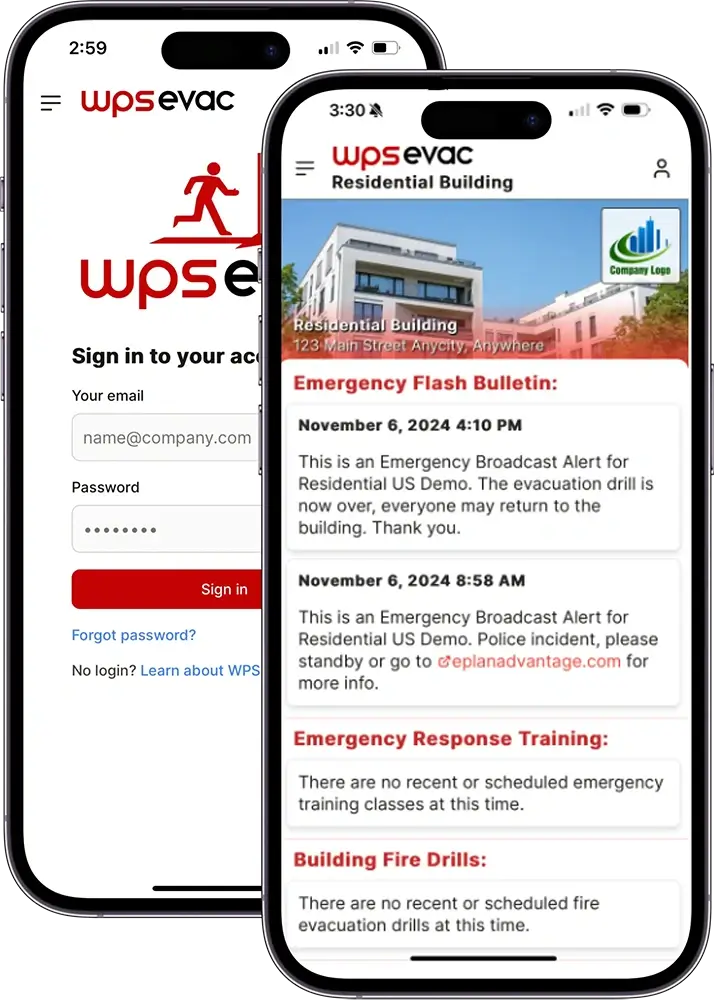
WPS Evac Software runs alongside the proptech stack you already use. It supports Commercial WPS Evac Software & App and Residential WPS Evac App and Software workflows for plans, Persons Requiring Assistance (PRA) lists, warden teams, training records, emergency contacts, notifications, and evacuation accountability.
- 40+ years
- Thousands of buildings
- SOC 2 compliant












Why Building Operations Software Fire Safety Tools Fall Short
Building operations software is usually built for daily service delivery, while fire and life safety needs structured emergency procedures, delegated roles, and defensible records.
A tenant app can announce a water shutdown, publish a building notice, or route a maintenance request. Emergency readiness asks different questions: which plan applies, who has a duty, who needs assistance, who completed training, and what was recorded after a drill or evacuation.
That difference matters when operations teams are responsible for multiple buildings. A general platform may show communication activity, but it may not maintain floor warden teams, PRA records, drill documentation, automatic training completion records, or live evacuation status in one emergency-management workflow.
Tenant App vs Emergency App
A tenant app is a resident or occupant experience tool, while an emergency app is a building-specific life-safety tool for procedures, alerts, response activity, and records.
Tenant experience apps are valuable for engagement, convenience, and routine communication. They often support announcements, service requests, building documents, notification preferences, and resident updates.
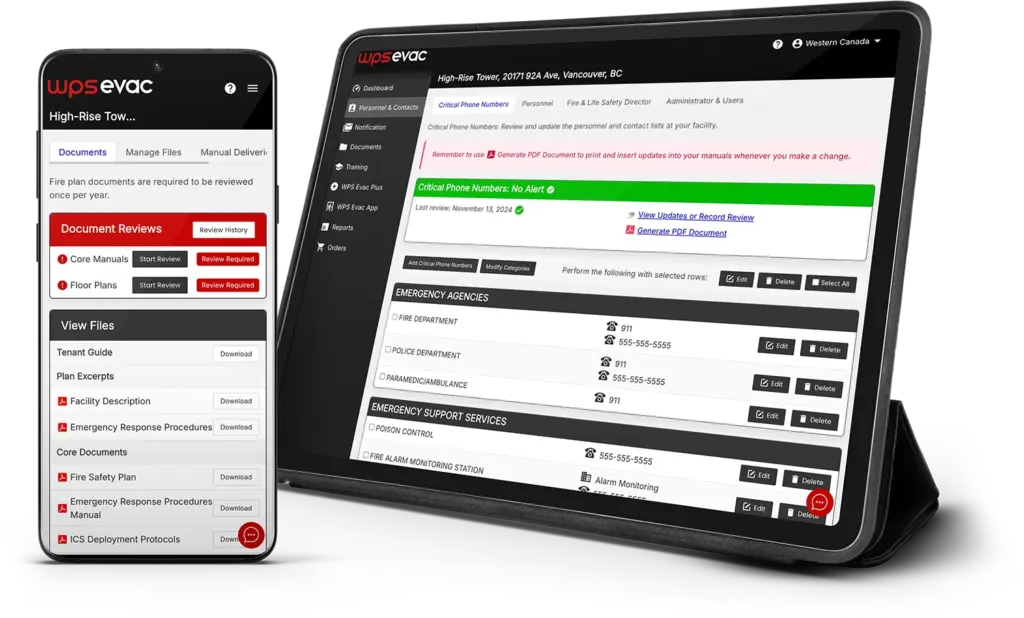
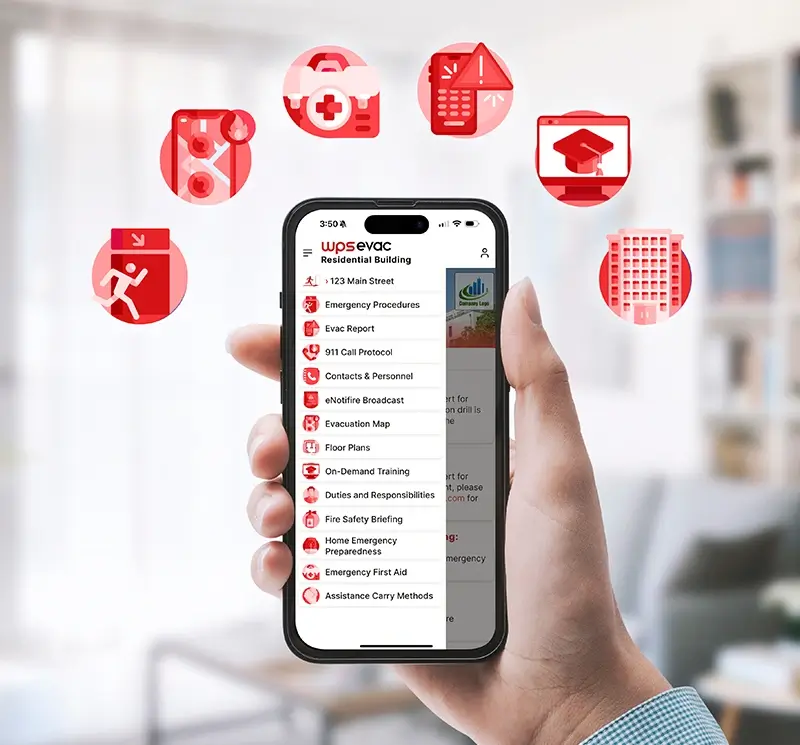
The WPS Evac App and WPS Evac Mobile App are different in purpose. They extend WPS Evac Software to mobile devices so authorized users can access role-based emergency procedures, receive SMS or email broadcasts where configured, support roll call, view emergency contacts, and use building-specific information tied to the property’s fire and life-safety program.
Daily operations
- Announcements
- Service requests
- Building documents
- Notification preferences
- Resident updates
Emergency readiness
- Role-based emergency procedures
- SMS or email broadcasts
- Roll call
- Emergency contacts
- Building-specific information
How to Add Fire Life Safety to an Existing Building Tech Stack
WPS Evac adds dedicated fire and life-safety workflows beside your current property management platform instead of replacing it.
Existing platform
1. Keep your general platform for daily operations
Use your existing tenant portal, resident app, or work order software for notices, service requests, packages, amenities, and routine building communication.
WPS Evac
2. Connect WPS Evac to the emergency program
WPS Evac Software stores fire safety plans, multi-hazard emergency plans, procedures, emergency contacts, and supporting documents in one cloud-based system.
WPS Evac
3. Assign access by responsibility
Commercial WPS Evac Software & App supports Corporate, Managers, and Tenants access levels so portfolio leaders, building teams, and tenant representatives can each use the right view.
WPS Evac
4. Maintain roles and assistance records
Teams can track floor warden teams, delegated tenant responsibilities, and Persons Requiring Assistance (PRA) information so emergency duties are not buried in email threads.
WPS Evac
5. Train and document participation
On-demand training can be assigned through on-demand emergency training, with completion records automatically logged in the software.
WPS Evac
6. Use roll call and records during response
The WPS Evac Mobile App supports evacuation status, roll call, alert reporting tools, and access to key emergency information so managers can review response activity after drills or incidents.
Commercial WPS Evac Software & App for Operations Teams
Commercial WPS Evac Software & App is built for commercial and mixed-use properties where emergency readiness depends on managers, tenants, wardens, and authorized personnel.
Corporate
Corporate users can monitor fire and life-safety compliance across a portfolio by region or building type.
Managers
Managers can oversee building-level documentation, drills, training, emergency personnel, task alerts, and reporting in a single dashboard.
Tenants
Tenant access is especially important for commercial properties. Tenants can appoint and maintain floor warden teams, identify Persons Requiring Assistance (PRA), and support building-wide preparedness without being given full management control.
Residential WPS Evac App and Software for Tenant Communities
Residential WPS Evac App and Software focuses on resident communication, evacuation accountability, app adoption, and emergency procedures for multi-family properties.
For apartments, condominiums, strata communities, and other residential buildings, the platform supports real-time notifications via SMS, text-to-speech, and email where available. Property management can initiate mass phone-broadcast roll call, and tenants can provide evacuation status through the Residential WPS Evac App or by responding to roll call.
Residential WPS Evac also supports tenant app-installation tracking, PRA identification tracking, digital reporting, activity logs, and a 30-minute onboarding process with a WPS representative.
How WPS Evac Fits With the Rest of the Program
WPS Evac connects software, mobile access, training, planning, and support around the building’s emergency program.
- Fire safety plans can be stored and managed with related procedures and documents.
- The WPS Evac Mobile App gives authorized users access to building-specific emergency procedures.
- Commercial access levels help separate portfolio oversight, building administration, and tenant participation.
- Residential workflows support tenant notifications, evacuation status, and app-installation tracking where available.
- Instructor-led emergency training can support teams that need facilitated sessions.
- WPS Evac Plus is available as an optional add-on for teams that want administrative support with fire and life-safety tasks.
- New WPS Fire Safety Plan or Multi-Hazard Emergency Plan customers receive a free 1-year WPS Evac subscription.
Does Property Management Software Handle Fire Safety Compliance?
Property management software may support communication, but fire safety compliance depends on the applicable requirements, the building’s plan, assigned responsibilities, training, records, and local enforcement expectations.
Operations note
Requirements vary by jurisdiction, occupancy, and authority having jurisdiction. In the United States, Occupational Safety and Health Administration 29 Code of Federal Regulations 1910.38 describes emergency action plan elements such as evacuation procedures, accounting for employees after evacuation, rescue or medical duties, contact roles, alarms, and employee training. The International Fire Code also addresses emergency planning, preparedness, employee training, drills, and related records.
In Canada, National Fire Code-based fire codes address fire safety plans, supervisory staff, emergency procedures, and building fire-safety management. WPS Evac Software helps organize plans, tasks, records, procedures, training completion, emergency contacts, notifications, and roll call, but the software itself does not make a building compliant.
How WPS Evac Runs Alongside the System You Already Have
WPS Evac can be added without replacing your existing tenant app, resident portal, or building operations platform.
1. Review the current emergency plan
Start with the building’s existing fire safety plan, multi-hazard plan, procedures, contacts, roles, and records.
2. Configure the right access levels
Set up Corporate, Managers, and Tenants access where appropriate so each group can manage the responsibilities assigned to them.
3. Add training and documentation workflows
Use WPS Evac Software to maintain drill records, training completion records, emergency contacts, and related reporting. Teams can connect training needs to on-demand emergency training.
4. Launch with WPS support
Residential onboarding takes about 30 minutes with a WPS representative, and WPS handles the rest. Commercial teams can also discuss setup during the software demo.
Setup checklist
- Review the current emergency plan
- Configure the right access levels
- Add training and documentation workflows
- Launch with WPS support
Every new WPS Fire Safety Plan or Multi-Hazard Emergency Plan developed by WPS includes a free 1-year WPS Evac subscription to the full software and mobile app.
Fire Safety Module Property Management Software
A fire safety module property management software comparison should focus on what your general platform does well, what emergency readiness requires, and where WPS Evac fits.
What does it do?
A general property management platform usually helps teams manage notices, work orders, resident documents, service requests, and routine communication. Dedicated fire and life-safety software manages emergency plans, assigned roles, PRA information, training records, roll call, and emergency activity records.
How does WPS Evac handle it?
WPS Evac Software works alongside the existing proptech stack. Commercial WPS Evac Software & App supports Corporate, Managers, and Tenants access levels, while Residential WPS Evac App and Software focuses on resident alerts, procedures, app adoption, evacuation status, and roll call where available.
Who is it for?
It is for property managers, building owners, facility managers, condo and strata managers, and operations leaders who already have a tenant portal or building operations platform but need a dedicated system for fire and life-safety program administration.
Property Management Software and Fire Safety Software Questions
These questions help buyers decide whether a tenant app, emergency app, or dedicated WPS Evac setup is the right fit.
Can our tenant app replace a fire safety program?
No. A tenant app can support notices and communication, but a fire safety program also needs building-specific plans, assigned roles, training records, PRA lists, drill documentation, emergency contacts, and response workflows. WPS Evac is designed to manage those life-safety elements beside your tenant app.
Do I need separate fire safety software if we already have building operations software?
You may need a dedicated system if your current platform does not manage fire safety plans, warden teams, Persons Requiring Assistance (PRA), training completion, drill records, emergency contacts, and roll call. WPS Evac is not a replacement for operations software; it fills the emergency-readiness gap.
Is fire safety software required?
Requirements vary, and software itself is not what makes a building compliant. In the United States, OSHA 29 Code of Federal Regulations 1910.38 and the International Fire Code address emergency plans, training, drills, and accountability. In Canada, National Fire Code-based fire codes address fire safety plans and supervisory staff.
What is property management software missing for emergency preparedness?
Many systems are missing role-based emergency procedures, tenant-delegated warden management, PRA tracking, automatic training completion records, fire drill documentation, building-specific emergency contacts, and evacuation roll call. Those workflows are central to WPS Evac Software and the WPS Evac Mobile App.
How long does WPS Evac take to set up?
Residential WPS Evac App and Software includes a 30-minute onboarding process with a WPS representative, and WPS handles the rest. Commercial setup can be discussed in the software demo based on the number of buildings, access levels, plans, users, and training workflows involved.
How does WPS Evac address tenant adoption concerns?
Residential WPS Evac supports tenant app-installation tracking so management can monitor adoption efforts and maintain due-diligence records. Commercial WPS Evac supports tenant application workflows so tenant representatives can participate in warden teams, PRA identification, and preparedness responsibilities.
Does WPS Evac replace mass notification, inspection, or form tools?
WPS Evac is focused on building-specific fire and life-safety administration. It includes notifications, templates, records, roll call, procedures, and reporting, but it should be evaluated as a dedicated emergency-management platform rather than a generic form builder, inspection tool, or enterprise mass notification system.
Request a WPS Evac Software Demo
After the form is submitted, a WPS representative will contact you to schedule a demo and discuss your building type, current emergency plan, users, training needs, and portfolio compliance goals.