Fire Drill Software for Digital Fire Drill Records
Fire drill software helps property teams schedule, document, and review drills in the same place they manage emergency plans, training, and building records.
WPS Evac Software gives property managers, building owners, facility managers, condo and strata managers, and operations leads a clearer way to manage fire drill records without relying on binders, spreadsheets, or one-off forms. For buildings with recurring fire and life-safety responsibilities, the goal is not just to complete a drill, but to keep the record connected to the plan, training activity, tenant participation, and follow-up tasks.
With Commercial WPS Evac Software & App, building teams can manage drills, compliance tasks, emergency personnel, documentation, notifications, training records, and reporting from a centralized platform. Residential WPS Evac App and Software is designed to support tenant communication, emergency procedures, evacuation status workflows, and preparedness information where available.
- 40+ years
- Thousands of buildings
- SOC 2 compliant












Manual Fire Drill Records Create Gaps Before the Inspection
Paper logs and disconnected spreadsheets make it harder to prove what happened, what was missed, and what needs follow-up.
A fire drill record is only useful if the right people can find it when they need it. When drill notes live in emails, binders, tenant forms, or a shared drive, property teams often spend time reconstructing what happened instead of improving the next drill.
Common issues include:
- Missed drill dates because reminders depend on one person.
- Incomplete fire drill logs with no clear follow-up owner.
- Records that are hard to produce during inspections or audits.
- Training records stored separately from drill performance.
- Tenant or warden updates that never make it back into the plan.
What Is Fire Drill Record Keeping Software?
Fire drill record keeping software is a digital system for scheduling drills, logging drill details, storing records, and connecting follow-up actions to the building’s emergency-management program.
Unlike a static form, a digital fire drill log can sit beside the documents and tasks that make the drill meaningful. In WPS Evac, drill information belongs with fire safety plans, multi-hazard emergency plans, emergency procedures, training records, notifications, and reporting.
That connection matters because drills are not just calendar events. They test whether procedures are current, whether emergency personnel understand their roles, whether occupants know what to do, and whether the building team has documented what happened.
Fire Drill Software Workflow for Property Teams
WPS Evac helps property teams move from reminder-based administration to a structured drill record workflow.
1. Set up the building record
Start with the building’s emergency plan, emergency personnel, tenant contacts, procedures, and supporting documents. New WPS Fire Safety Plans and Multi-Hazard Emergency Plans include a free 1-year WPS Evac subscription.
2. Track drill tasks and reminders
Use WPS Evac Software to manage building-level tasks, drills, emergency personnel, documentation, and training. Task alerts help managers stay aware of upcoming or overdue fire and life-safety requirements.
3. Document the drill
Record drill activity in the same environment where the building’s emergency procedures and related documents are managed. This helps teams avoid separating the fire drill report from the plan it is meant to test.
4. Review training participation
Use WPS on-demand training with automatic completion records to see who has completed assigned training. Property teams can also pair software workflows with instructor-led emergency training where live instruction is needed.
5. Update procedures and responsibilities
After a drill, review what changed: personnel roles, floor warden teams, tenant information, Persons Requiring Assistance (PRA) details, or emergency procedures. Commercial tenants can help maintain floor warden teams and identify people who may require assistance through tenant access.
6. Keep records ready for review
When inspection or audit questions come up, managers can reference drill records alongside plans, training history, task activity, and emergency-program documentation.
Fire Drill Tracking for Property Managers
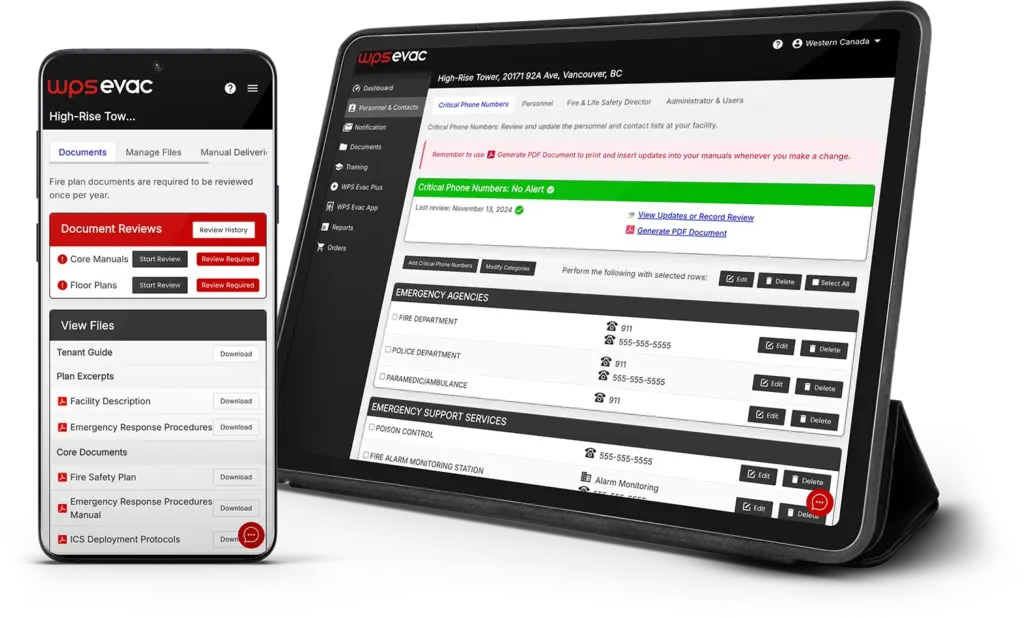
Commercial WPS Evac Software & App supports drill tracking for property managers who need shared oversight across buildings, tenants, and emergency teams.
For commercial and mixed-use properties, WPS Evac centralizes emergency plans, compliance tasks, personnel, training records, drills, notifications, and reporting. Corporate users can monitor plan status, task completion, and training activity across multiple properties, while Managers oversee building-level administration.
Tenant access is important for drill readiness because commercial properties depend on participation from the people who occupy the space. Tenants can maintain floor warden teams and identify Persons Requiring Assistance, helping property managers keep emergency information current without giving every user the same level of access.
Digital Fire Drill Logs for Residential Properties
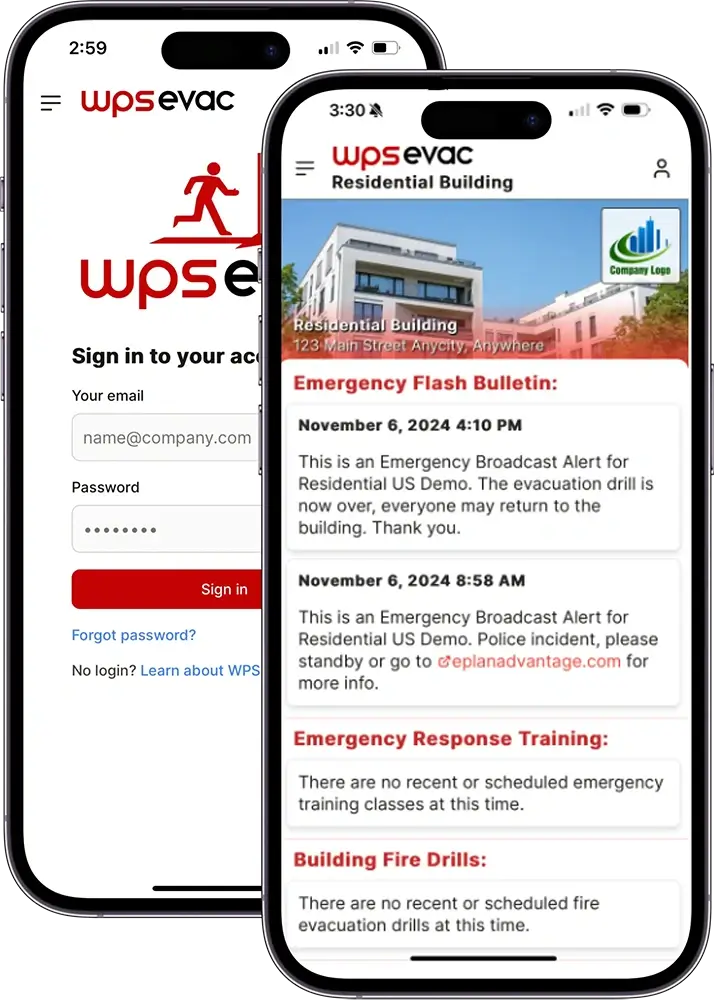
Residential WPS Evac App and Software is designed to support residential emergency communication, occupant preparedness, and evacuation-status workflows where available.
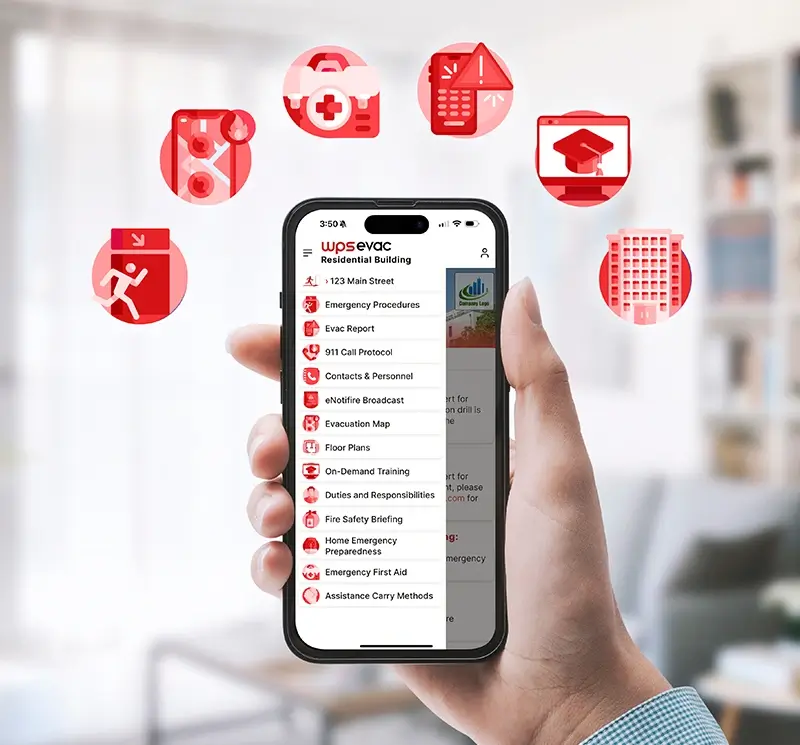
For condominiums, strata, apartments, and other residential communities, drill management often includes tenant communication, app adoption, assembly-area information, and follow-up education. Residential WPS Evac App and Software supports building-specific procedures, notifications, tenant preparedness information, tenant app-installation tracking, and evacuation status workflows where available.
Residential feature availability should be confirmed before final launch language is published. The safest current framing is that the residential platform is designed to support tenant access, emergency procedures, notifications, roll call workflows, PRA identification tracking, and preparedness information where available.
Why Drill Records Belong With Plans and Training
Fire drill compliance tracking works best when drill records are part of the full emergency-readiness system, not a standalone form.
- Store drill records beside building-specific procedures in Commercial WPS Evac Software & App.
- Support residential communication and preparedness through Residential WPS Evac App and Software.
- Give authorized users access to procedures through the WPS Evac Mobile App download page.
- Assign on-demand training and keep automatic completion records through on-demand emergency training.
- Use WPS Evac Plus if your team needs digital support implementing and administering the plan.
- Connect drill observations back to plan updates, training needs, PRA information, and tenant participation.
How Long Do You Need to Keep Fire Drill Records?
Requirements vary by jurisdiction, building type, occupancy, and authority having jurisdiction, so property teams should confirm local rules before setting a retention policy.
United States examples
In the United States, OSHA 29 CFR 1910.38 requires emergency action plans to include evacuation procedures, procedures for accounting for employees after evacuation, and emergency plan review and training requirements where the standard applies. International Fire Code Section 405 is a common model for emergency evacuation drills and drill records, including details such as the drill conductor, date and time, notification method, occupants evacuated, simulated conditions, problems encountered, weather, and evacuation time.
OSHA 29 CFR 1910.38International Fire Code Section 405
Canada examples
In Canada, National Fire Code-based fire codes and related occupational health and safety rules can require documented emergency procedures, drills, supervisory staff responsibilities, and record retention. Canada Occupational Health and Safety Regulations section 17.10, for example, requires certain employers to conduct evacuation or emergency drills at least annually and keep records of meetings and drills for two years.
Canada Occupational Health and Safety Regulations section 17.10National Fire Code-based fire codes
WPS Evac can help teams organize drill records, task reminders, training completion records, and emergency-program documentation. It does not make a building compliant by itself, and WPS should not replace advice from qualified fire and life-safety professionals or the authority having jurisdiction.
How to Set Up Digital Fire Drill Records in WPS Evac
WPS helps property teams launch fire drill record keeping as part of a broader emergency-management program.
1. Review the current drill process
Start with existing fire drill logs, inspection comments, emergency plans, tenant responsibilities, and training records.
2. Choose the right WPS Evac setup
Commercial properties can use Corporate, Managers, and Tenants access. Residential properties can use the residential platform for tenant communication, procedures, app participation, and preparedness workflows where available.
3. Connect plans, training, and records
Load the building’s plan documents, assign on-demand training where appropriate, and keep drill information tied to the procedures it tests.
4. Use the included first-year subscription
Every new WPS Fire Safety Plan or Multi-Hazard Emergency Plan includes a free 1-year WPS Evac subscription, helping teams move from plan creation into digital administration.
Fire Drill Software Answers
Fire drill software helps property teams schedule, document, review, and retrieve drill records as part of an emergency-management program.
What does it do?
Fire drill software helps building teams maintain a digital fire drill log, track drill-related tasks, organize supporting records, and prepare information for inspections or audits without depending on paper binders or disconnected files.
How does WPS Evac handle it?
WPS Evac Software connects drill records with emergency plans, compliance tasks, emergency personnel, training records, notifications, reporting, and mobile access. Commercial users can manage building and portfolio workflows, while residential teams can use residential tools for communication and preparedness where available.
Who is it for?
It is for property managers, building owners, facility managers, condo and strata managers, operations leads, commercial tenants, floor wardens, and residential management teams responsible for keeping drill records and emergency procedures organized.
Fire Drill Software FAQs
These answers address common buyer questions about fire drill software, fire drill records, retention, setup, and WPS Evac.
What should a fire drill record include?
A fire drill record commonly includes the drill date and time, who conducted it, how occupants were notified, who participated, conditions simulated, issues observed, evacuation timing, and follow-up actions. International Fire Code Section 405 provides a useful example of the types of details often expected.
Is fire drill software required?
Fire drill software itself is not typically the requirement. Requirements usually focus on emergency planning, training, drills, and records. OSHA 29 CFR 1910.38 and International Fire Code Section 405 provide U.S. examples, while Canada Occupational Health and Safety Regulations and National Fire Code-based fire codes provide Canadian examples.
How often are fire drills required in high-rise buildings?
Fire drill frequency varies by jurisdiction, occupancy, building type, and local authority requirements. Some National Fire Code-based guidance sets more frequent drill intervals for high buildings, while International Fire Code tables vary by occupancy. WPS Evac should be used to support local requirements, not define them.
How long do you need to keep fire drill records?
Retention periods vary. Canada Occupational Health and Safety Regulations section 17.10 requires certain drill records to be kept for two years, while International Fire Code-based local rules may require records for the current and previous year or another period. Confirm the local rule that applies to the building.
Can WPS Evac replace our existing fire drill form?
WPS Evac can help move fire drill record keeping into a digital emergency-management workflow, but it should not be treated as just a form replacement. Its value comes from connecting drills to plans, training records, task alerts, tenant participation, and emergency documentation.
What if we already use spreadsheets or inspection software?
Spreadsheets and inspection tools may capture a drill event, but they often sit apart from training records, tenant updates, emergency procedures, and plan administration. WPS Evac is designed to keep these related emergency-management records together so teams can review them in context.
Does WPS Evac support residential fire drill records?
Residential WPS Evac App and Software is designed to support tenant communication, emergency procedures, app-installation tracking, evacuation status workflows, and preparedness information where available. Final residential fire drill record language should be confirmed against current product availability before publishing.
Request a Fire Drill Software Demo
After the form is submitted, a WPS team member can follow up to discuss your building type, current drill record process, emergency plan status, and the right WPS Evac setup.
- Plans, drills, training, and records in one connected emergency-management platform.