
Emergency Training Tracking Software for Building Staff and Wardens
Emergency training tracking software helps property teams assign training, record completion, and prove who has completed required fire and life-safety instruction.
WPS Evac Software connects on-demand fire safety training for building staff, supervisory staff, and fire wardens with automatic completion records inside the same platform used for emergency plans, procedures, notifications, drills, and reporting. Instead of chasing certificates, spreadsheets, and email confirmations before an inspection, managers can review training logs from the software.
Use WPS Evac to support your emergency training program alongside on-demand emergency training, instructor-led emergency training, and building-specific emergency procedures.
- 40+ years
- Thousands of buildings
- SOC 2 compliant












Why Manual Fire Safety Training Records Fall Short
Manual training records fall short because emergency readiness changes whenever staff, tenants, wardens, procedures, or building risks change.
Property teams often inherit a mix of sign-in sheets, PDF certificates, shared folders, and spreadsheet trackers. That creates a problem when someone asks, "Who completed training, when did they complete it, and where is the record?"
The gap becomes more obvious before inspections, drills, tenant turnover, and plan updates. If records are scattered, managers spend time proving participation instead of improving readiness.
What Is Emergency Training Tracking Software?
Emergency training tracking software is a digital system for assigning safety training, logging completions, and keeping training records available for review.
For fire and life-safety programs, the goal is not just course delivery. The goal is to show that building staff, supervisory staff, fire wardens, and other assigned users received the right instruction and that the completion record is tied to the building’s emergency-management program.
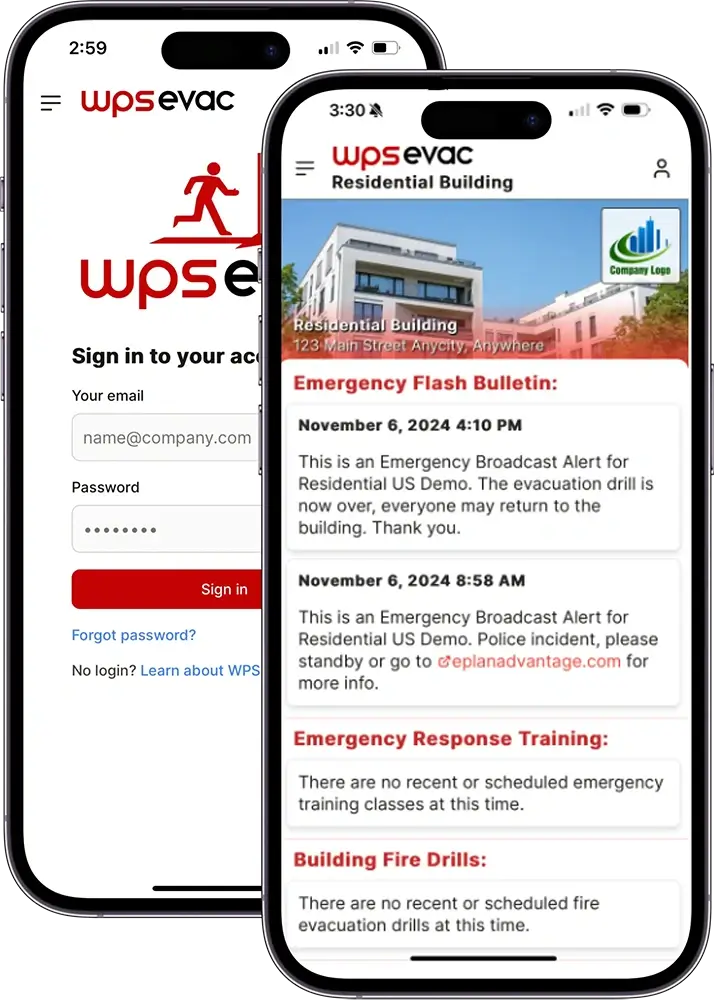
In WPS Evac Software, on-demand training can be completed on a computer or through the WPS Evac App where configured. Completion is automatically logged, helping managers maintain a clearer audit trail.
Assign
Complete
Record
How Emergency Training Tracking Works in WPS Evac
WPS Evac helps teams move from training assignment to completion records without building a separate tracking system.
1. Assign the right training
Managers can assign on-demand fire safety training through the platform so building personnel and wardens know what needs to be completed.
2. Let users complete modules from the right device
Training can be completed on a computer or in the WPS Evac Mobile App where available, giving users a practical way to finish required modules.
3. Log completion automatically
When a user completes assigned on-demand training, the completion record is stored in the software without a separate certificate chase.
4. Review fire safety training records
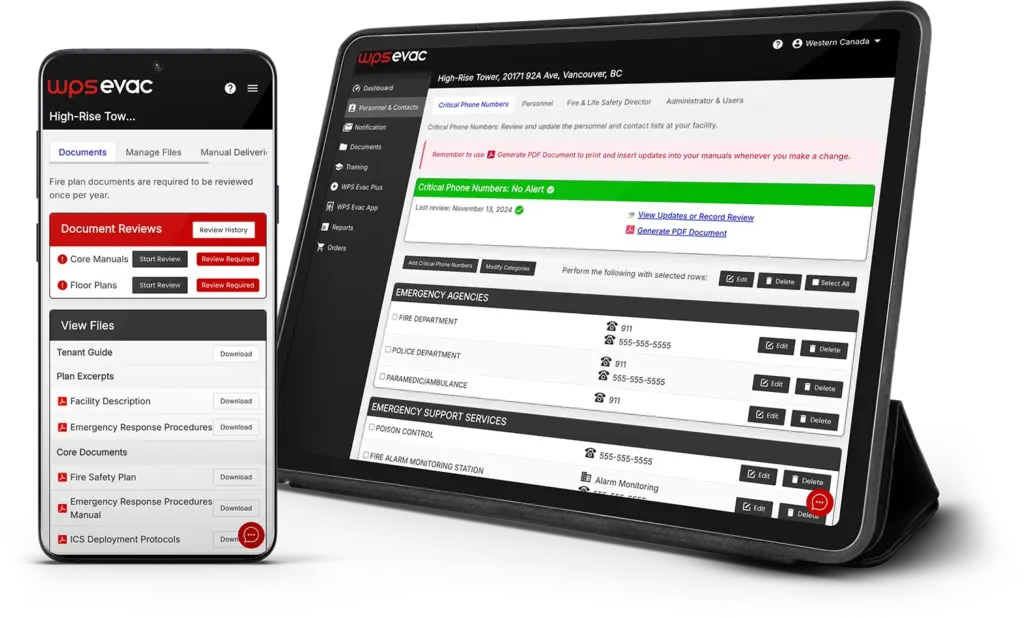
Managers can review training logs alongside emergency plans, procedures, drills, notifications, and reporting in Commercial WPS Evac Software & App.
5. Connect digital learning with instructor-led training
WPS instructor-led training remains available when teams need facilitated instruction for emergency personnel, wardens, staff, or occupants.
6. Use records during inspections and program reviews
Training completion records can help teams answer inspection and due-diligence questions faster, while still confirming applicable requirements with local authorities.
Fire Warden Training Software for Commercial Properties
Commercial WPS Evac Software & App is built for office, mixed-use, and portfolio environments where training responsibility is shared across managers, tenants, and emergency teams.
Commercial access levels include Corporate, Managers, and Tenants. Corporate users can monitor activity across multiple properties, Managers can oversee building-level records, and Tenants can maintain floor warden teams and identify Persons Requiring Assistance (PRA).
This matters because commercial fire warden programs often change as tenants move, suites change, and staff roles shift. WPS Evac helps property teams connect training records with Commercial WPS Evac Software & App, emergency personnel, compliance tasks, and building-specific procedures.
Supervisory Staff Training Records for Residential Properties
Residential WPS Evac App and Software focuses on training, tenant communication, procedures, roll call, and emergency-response tools for multi-family communities.
For apartments, condominiums, strata communities, and other residential properties, Residential WPS Evac App and Software supports building-specific procedures, notifications, tenant participation tracking, roll call workflows, and training where available. It is a different operating model than commercial tenant-managed floor warden teams.
Residential teams should use the residential product framing when discussing tenant alerts, app adoption, preparedness information, and evacuation accountability. Confirm exact residential feature availability before final publication if the page will describe app-based training workflows in detail.
How Training Records Connect to the Rest of WPS Evac
Emergency training tracking is stronger when it connects to the plans, procedures, roles, and response tools behind the training.
- Store training records with fire safety plans, emergency procedures, drills, notifications, and reporting.
- Pair training with fire safety plans and multi-hazard emergency plans.
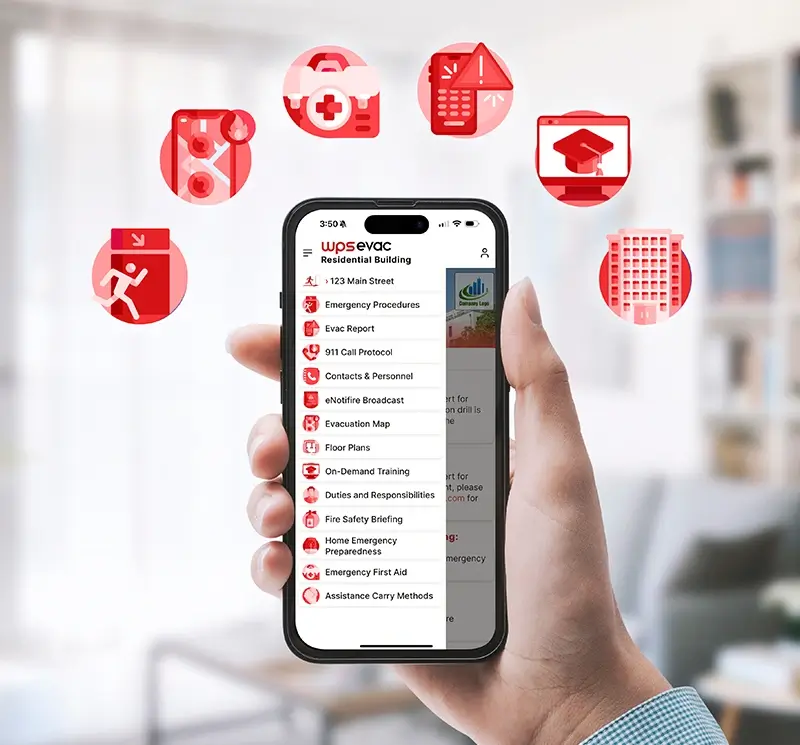
- Give authorized users mobile access to building-specific procedures through the WPS Evac App download page.
- Use Corporate, Managers, and Tenants access levels for commercial oversight and delegation.
- Add WPS Evac Plus when the team needs help administering fire and life-safety tasks.
- Connect PRA information with emergency planning using WPS guidance on assisting Persons Requiring Assistance during emergencies.
- Extend the same platform beyond fire with comprehensive emergency management beyond fire hazards.
Are Fire Safety Training Records Required for Inspections?
Requirements vary, but many emergency-planning frameworks expect training, instruction, drills, records, or employee review that can be easier to manage with organized software.
In the United States, OSHA 29 Code of Federal Regulations 1910.38 requires covered employers to review emergency action plans with employees at specific times and to designate and train employees who assist with orderly evacuation. International Fire Code Chapter 4 also connects required fire safety and evacuation plans with employee training, drills, and records for certain occupancies.
In Canada, National Fire Code-based fire codes commonly address fire safety plans, supervisory staff responsibilities, occupant instruction, drills, and recordkeeping. These examples show why fire safety training records for inspections matter, but WPS Evac Software does not make a building compliant by itself.
Requirements vary by building type and jurisdiction. Confirm applicable obligations with local authorities.
How to Set Up Training Tracking in WPS Evac
WPS Evac can be introduced as part of a broader emergency-management program instead of a standalone training spreadsheet.
- 1. Review the building’s current emergency plan, training roles, and recordkeeping process.
- 2. Confirm which users need access: Corporate, Managers, Tenants, staff, wardens, or occupants.
- 3. Assign on-demand training modules through WPS Evac where applicable.
- 4. Use automatic completion records to monitor participation and follow up.
- 5. Add instructor-led training when the team needs facilitated instruction.
- 6. Review training logs during drills, inspections, plan updates, and internal program reviews.
Every new WPS Fire Safety Plan or Multi-Hazard Emergency Plan includes a free 1-year WPS Evac subscription, helping teams connect documentation, training, and emergency tools from the start.
Emergency Training Tracking Software
Emergency training tracking software helps building teams assign training, log completion, and keep proof of fire safety training records in one place.
What does it do?
It helps managers see who completed assigned fire safety training, when completion was logged, and how those records connect to the building’s emergency-management program.
How does WPS Evac handle it?
WPS Evac supports on-demand training with automatic completion records, while also connecting those records to plans, procedures, drills, notifications, reporting, and WPS instructor-led training options.
Who is it for?
It is for property managers, building owners, facility managers, condo and strata managers, operations leads, supervisory staff, fire wardens, and teams responsible for inspection readiness.
Emergency Training Tracking, Fire Safety Records, and WPS Evac
These answers address common buyer questions about emergency training tracking in WPS Evac.
What is emergency training tracking software?
Emergency training tracking software is a digital way to assign safety training, monitor completion, and keep records available for review. In WPS Evac, on-demand training completion is automatically logged so managers do not need to collect every certificate manually.
Can WPS Evac track floor warden training completion?
Yes, WPS on-demand training can be assigned through the platform, with automatic completion records for assigned users. In commercial buildings, this can support fire warden and emergency personnel readiness alongside tenant-managed floor warden teams and manager oversight.
Can staff complete fire safety training in the app?
WPS Evac supports on-demand modules that can be completed on a computer or in the WPS Evac App where configured. Confirm exact app-based availability for the property type and user role before publishing final sales language.
Is emergency training tracking required?
Requirements vary by building type and jurisdiction. OSHA 29 Code of Federal Regulations 1910.38 addresses employee review and training for covered emergency action plans, while National Fire Code-based Canadian fire codes commonly address fire safety plans, supervisory staff training, drills, and records.
What if we already track training in a spreadsheet?
A spreadsheet can list names and dates, but it usually sits outside the emergency plan, app, procedures, drills, and inspection records. WPS Evac keeps training completion records connected to the broader emergency-management program.
How does WPS Evac support privacy concerns?
WPS Evac should be positioned around authorized access, role-based use, and the specific records needed for emergency-management administration. Do not promise integrations, privacy certifications, or data-handling terms beyond confirmed WPS product and security materials.
How does this connect to instructor-led emergency training?
On-demand training helps users complete modules at their own pace, while WPS instructor-led emergency training provides facilitated instruction when teams need live guidance. Many properties use both to support building staff, wardens, supervisory staff, and occupants.
Request a Software Demo
After the form is submitted, a WPS representative can help review the right WPS Evac setup for your building, portfolio, and training-record needs.