
Building Information for First Responders in WPS Evac Software
Give authorized staff and responders faster access to building-specific emergency information before confusion slows the response.
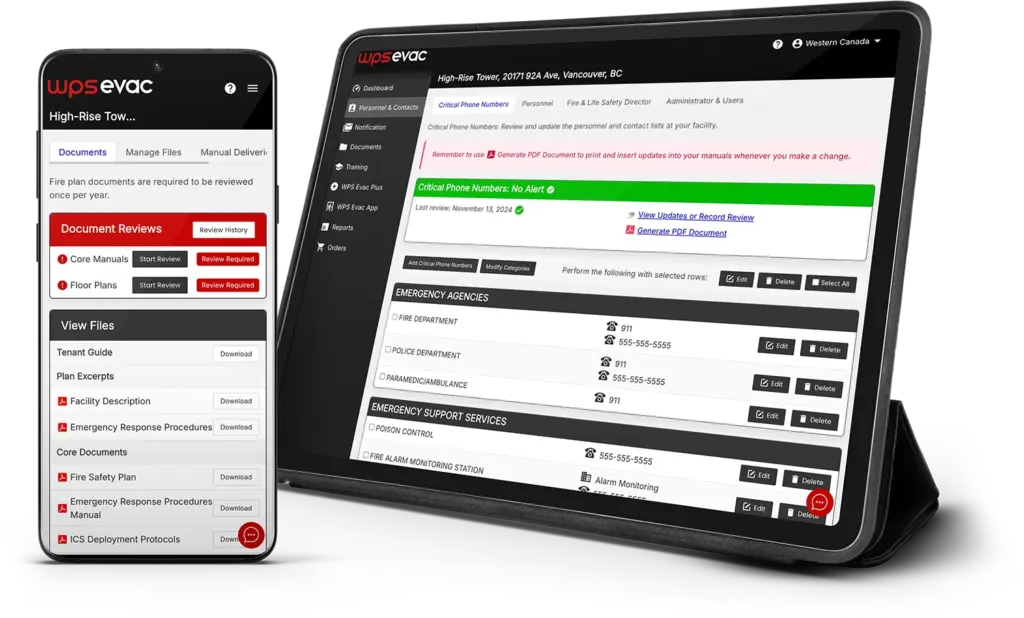
Building information for first responders should be easy to find when alarms are sounding, tenants are moving, and staff are trying to coordinate next steps. WPS Evac Software and the WPS Evac Mobile App provide quick access to details such as alarm systems, sprinkler configurations, and other fire protection equipment to assist building personnel and first responders.
WPS Evac pairs that building data with emergency procedures, evacuation status, roll call, emergency contacts, and Persons Requiring Assistance (PRA) information where configured. It does not replace fire department pre-incident planning, 911 dispatch systems, or local authority requirements; it helps property teams keep key information organized and accessible.
- 40+ years
- Thousands of buildings
- SOC 2 compliant












Why Manual Building Information Slows Emergency Response
Paper binders, scattered records, and outdated contact lists can make critical building details harder to use when staff and responders need them most.
Traditional fire safety plan boxes and binders are only helpful if the information is current, complete, and physically reachable. Alarm panel locations, sprinkler zones, fire protection equipment, emergency contacts, and special assistance details can change as buildings are renovated, tenants move, or staff roles shift.
Pre-incident planning standards and fire safety plan guidance commonly emphasize building layouts, hazards, emergency systems, supervisory staff duties, and current procedures. The operational gap is not only whether the data exists, but whether authorized people can access the right version during drills, alarms, disruptions, and reviews.
What Is a Pre-Incident Building Information App?
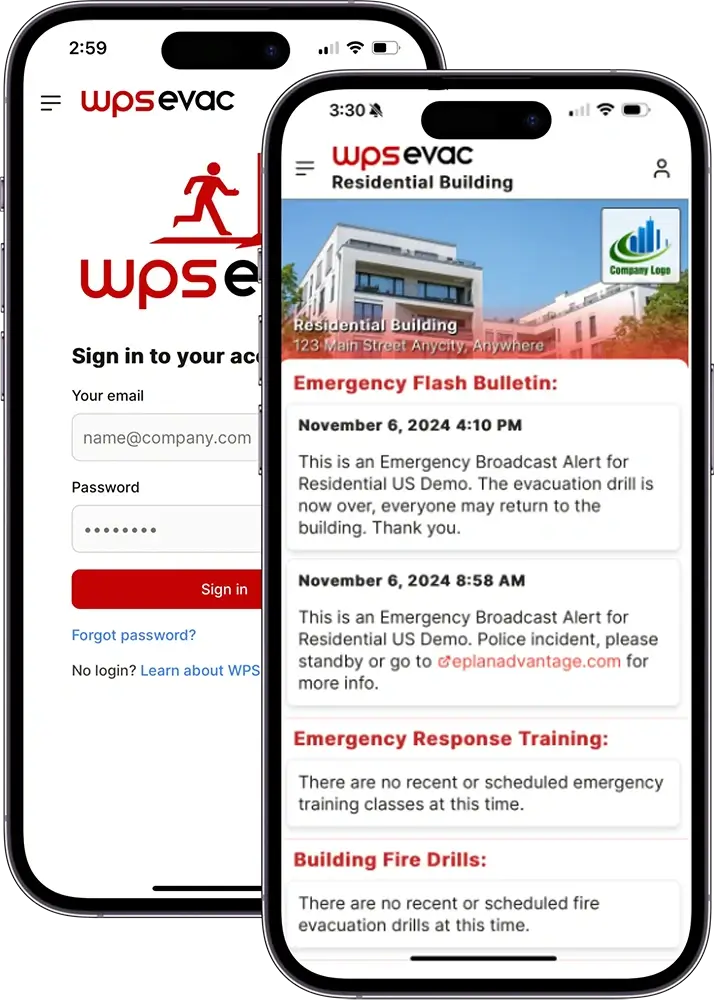
A pre-incident building information app is a digital tool that gives authorized users building-specific emergency details before and during an incident.
For property teams, the goal is to make practical information easier to locate: what systems are in the building, where key contacts are listed, which procedures apply, and what response roles are assigned. In WPS Evac, this connects to Commercial WPS Evac Software & App, emergency procedures, roll call, PRA visibility, and records.
For responders and building personnel, useful information may include alarm systems, sprinkler configuration, other fire protection equipment, emergency contacts, procedures, and evacuation-status inputs. WPS Evac supports that access within the product capabilities shown on the commercial and residential software pages.
Alarm
Sprinkler
Contacts
Procedures
PRA
Roll call
How WPS Evac Organizes Fire Department Building Info
WPS Evac organizes building information by connecting emergency plans, mobile access, role-based views, and response records in one platform.
1. Store approved plans and documents
WPS Evac Software stores fire safety plans, multi-hazard emergency plans, procedures, and related documentation in a cloud-based system. Teams can connect this with WPS fire safety plans and multi-hazard emergency plans.
2. Add building-specific response details
Commercial WPS Evac Software & App can provide access to building details such as alarm systems, sprinkler configurations, and other fire protection equipment. This supports staff and first responders without making unsupported claims about direct dispatch or 911 integration.
3. Assign the right access level
Commercial users can be configured as Corporate, Managers, or Tenants. Corporate users monitor portfolio activity, Managers oversee building-level tasks, and Tenants can support floor warden teams and PRA identification.
4. Put procedures in the WPS Evac Mobile App
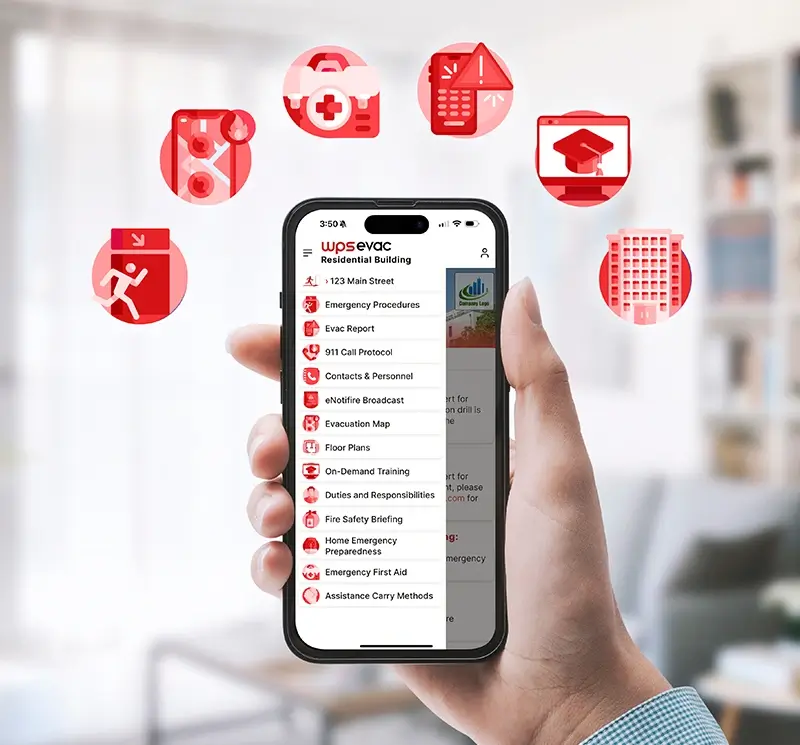
The WPS Evac Mobile App displays role-based procedures for staff, floor wardens, occupants, and authorized users where configured. The app helps people find what to do, where to go, and who to contact.
5. Pair building data with evacuation activity
Evacuation status and roll call tools help teams collect response information during drills or incidents. PRA records can be visible to authorized personnel so assistance planning is connected to the building information workflow.
6. Review records after drills and updates
Training completion, drill records, notifications, emergency contacts, and reporting help managers follow up after exercises. On-demand emergency training can also be assigned with automatic completion records through on-demand emergency training.
Digital Building Information for Firefighters and Commercial Property Teams
Commercial WPS Evac Software & App is designed for office, mixed-use, and portfolio properties where response readiness depends on property managers, tenants, wardens, and operations teams.
Commercial buildings often need delegated participation without losing manager oversight. WPS Evac supports Corporate, Managers, and Tenants access levels so tenant teams can maintain floor wardens and PRA information while property teams manage the broader emergency program.
Corporate
Managers
Tenants
For commercial buildings, the platform can connect building information for staff and first responders with compliance dashboards, task alerts, centralized documents, communication templates, SMS or email broadcasts, emergency contacts, roll call, and reporting. That makes it different from a standalone form builder or a mass notification-only tool.
Fire Protection System Information App for Residential Communities
Residential WPS Evac App and Software focuses on tenant communication, emergency procedures, evacuation accountability, and residential participation workflows.
For apartments, condominiums, strata communities, and other multi-family properties, Residential WPS Evac supports real-time tenant notifications through SMS, text-to-speech, and email. Managers can initiate automated phone roll call, and tenants can provide evacuation status through the Residential WPS Evac App or by answering or responding to roll call.
Residential WPS Evac also supports centralized plan and document storage, tenant app-installation tracking, PRA identification tracking, tenant preparedness information, and activity logs. Residential launch status and exact feature availability should be confirmed before final publication.
How Building Information Connects to the Rest of WPS Evac
Building information is more useful when it connects to the emergency-management work property teams already maintain.
- Store procedures, plans, and supporting documents in WPS Evac Software.
- Give authorized users mobile access through the WPS Evac Mobile App download page.
- Pair alarm, sprinkler, and fire protection information with building-specific emergency procedures.
- Use evacuation status and roll call to support response coordination during drills or incidents.
- Maintain PRA information for authorized personnel as part of evacuation planning.
- Assign instructor-led emergency training or on-demand modules with completion records.
- Add WPS Evac Plus when the team wants help administering fire and life-safety tasks.
Is Digital Building Information for First Responders Required?
Requirements vary, but many emergency-planning frameworks expect building information, emergency systems, procedures, and staff responsibilities to be documented and kept current.
United States
In the United States, OSHA 29 CFR 1910.38 requires emergency action plans for covered workplaces to address evacuation procedures, alarm systems, employee accounting, and rescue or medical duties. The International Fire Code is also commonly used as a model for fire safety and emergency planning where adopted.
- Evacuation procedures
- Alarm systems
- Employee accounting
- Rescue or medical duties
Canada
In Canada, National Fire Code-based fire codes and fire safety plan guidance commonly address supervisory staff duties, emergency procedures, fire protection systems, diagrams, drills, and provisions for people who may need assistance. Requirements depend on building type, occupancy, and local authority expectations.
- Supervisory staff duties
- Emergency procedures
- Fire protection systems
- Diagrams
- Drills
- People who may need assistance
WPS Evac can support planning, access, records, and communication workflows, but no software alone makes a building compliant. Property teams should confirm applicable requirements with qualified fire and life-safety professionals and the authority having jurisdiction.
How to Set Up Emergency Responder Building Data in WPS Evac
WPS helps property teams move from scattered building records to a structured digital workflow connected to emergency plans and app access.
1. Review the current building information
Start with existing fire safety plans, system summaries, alarm details, sprinkler information, emergency contacts, floor warden records, PRA processes, and fire protection equipment notes.
2. Select the right WPS Evac setup
Use Commercial WPS Evac Software & App for commercial, mixed-use, and portfolio environments. Use Residential WPS Evac App and Software for residential tenant communication, app adoption, roll call, and evacuation-status workflows where available.
3. Connect plans, procedures, and access
Add approved documents, role-based procedures, communication templates, contacts, and building-specific information. New WPS Fire Safety Plan or Multi-Hazard Emergency Plan customers receive a free 1-year WPS Evac subscription.
4. Train the right users
Assign on-demand emergency training with automatic completion records, or use facilitated training when staff, wardens, or occupants need guided instruction.
5. Review after drills and changes
Update building information after renovations, tenant turnover, system changes, drill findings, or plan reviews so staff are not relying on stale instructions.
- Review the current building information
- Select the right WPS Evac setup
- Connect plans, procedures, and access
- Train the right users
- Review after drills and changes
Building Information for First Responders Answers
Building information for first responders gives authorized people faster access to key building details, emergency procedures, and response records.
What does it do?
It organizes digital building information for firefighters and building teams, including alarm systems, sprinkler configuration, fire protection equipment, emergency contacts, procedures, and related response information. It helps reduce the friction of searching through paper binders or disconnected files.
How does WPS Evac handle it?
Commercial WPS Evac Software & App provides quick access to building details for staff and first responders, while also connecting procedures, roll call, evacuation status, PRA visibility, notifications, records, and role-based access. Residential WPS Evac focuses on tenant communication, roll call, evacuation status, and preparedness information.
Who is it for?
It is for property managers, building owners, facility managers, condo and strata managers, operations leads, building staff, floor wardens, tenant safety contacts, and residential teams that need current building information connected to emergency readiness.
Building Information for First Responders FAQs
These answers address common questions about WPS Evac, fire department building info, and digital access to emergency details.
What building information do firefighters need on arrival?
Responders often need clear building layouts, access points, alarm and sprinkler information, fire protection equipment details, hazards, contacts, and procedures. WPS Evac supports quick access to building details such as alarm systems, sprinkler configurations, and other fire protection equipment for staff and first responders.
Does WPS Evac connect directly to 911 or dispatch?
The product pages do not claim direct 911 or dispatch integration, so this page should not describe one. WPS Evac supports building information access, emergency procedures, notifications, roll call, evacuation status, emergency contacts, and related records within the software and app.
How can we share sprinkler and alarm details with first responders?
Commercial WPS Evac Software & App can provide quick access to alarm systems, sprinkler configurations, and other fire protection equipment. Teams should keep those details aligned with the approved fire safety plan and update them after renovations, system changes, inspections, or plan reviews.
Is this a digital alternative to fire safety plan box information?
WPS Evac can digitize and organize building-specific information, procedures, plans, and records, but it should not be positioned as replacing any required on-site fire safety plan box unless a local authority approves that approach. Requirements vary, and physical copies may still be required.
Is building information for first responders required?
Requirements vary. OSHA 29 CFR 1910.38 addresses emergency action plan elements such as alarms, evacuation, and employee accounting, while National Fire Code-based Canadian fire codes commonly require fire safety plan information about procedures, staff duties, systems, diagrams, and assistance needs.
How is this different from mass notification software?
Mass notification tools focus mainly on sending alerts. WPS Evac combines communication with building-specific emergency procedures, building information, evacuation status, roll call, PRA visibility, training records, documents, dashboards, and reporting for property-focused emergency management.
What if we already have paper plans or a fire safety plan box?
WPS Evac can work with existing plans by making approved procedures, contacts, and building information easier for authorized users to access and maintain. The value is not replacing responsible planning; it is reducing the risk that staff rely on outdated or hard-to-find information.
Request a Software Demo
After the form is submitted, a WPS team member can review your building type, current fire safety plan, building information workflow, responder-access needs, and the right WPS Evac setup for your property.