
Digital vs Paper Fire Safety Plan: What Property Managers Should Know
A digital vs paper fire safety plan decision is not about replacing every approved copy; it is about keeping required physical documents while running the day-to-day program digitally.
Paper binders still matter where the authority having jurisdiction requires an approved physical copy on site. The operational problem is that the binder is often not where the live program happens: Persons Requiring Assistance (PRA) lists change, warden rosters shift, tenant contacts become stale, and drill records get scattered.
WPS Evac Software helps property managers use a paperless fire safety plan workflow for updates, training records, communications, roll call, and emergency procedures while keeping required approved copies in place. For buildings ready to move beyond a binder-only process, Commercial WPS Evac Software & App and Residential WPS Evac App and Software support a more current, accessible emergency-management program.
- 40+ years
- Thousands of buildings
- SOC 2 compliant












Why Fire Safety Binders Fall Behind
A fire safety binder alternative is needed when the approved document exists, but the operating information around it is no longer current.
The biggest paper failure is usually not the floor plan. It is the living data: PRA records, floor warden assignments, tenant participation, emergency contacts, drill activity, training completion, and plan-update history. When those items live in emails, spreadsheets, printed lists, and office binders, version control becomes a daily liability.
A binder-only program also makes adoption difficult. Property managers may not know whether tenants have seen updated procedures, whether wardens completed training, or whether residents have access to emergency instructions before something happens.
 Live program
What Is a Digital Fire Safety Plan?
A digital fire safety plan is a cloud-based way to store, manage, update, and distribute building-specific emergency procedures and supporting records.
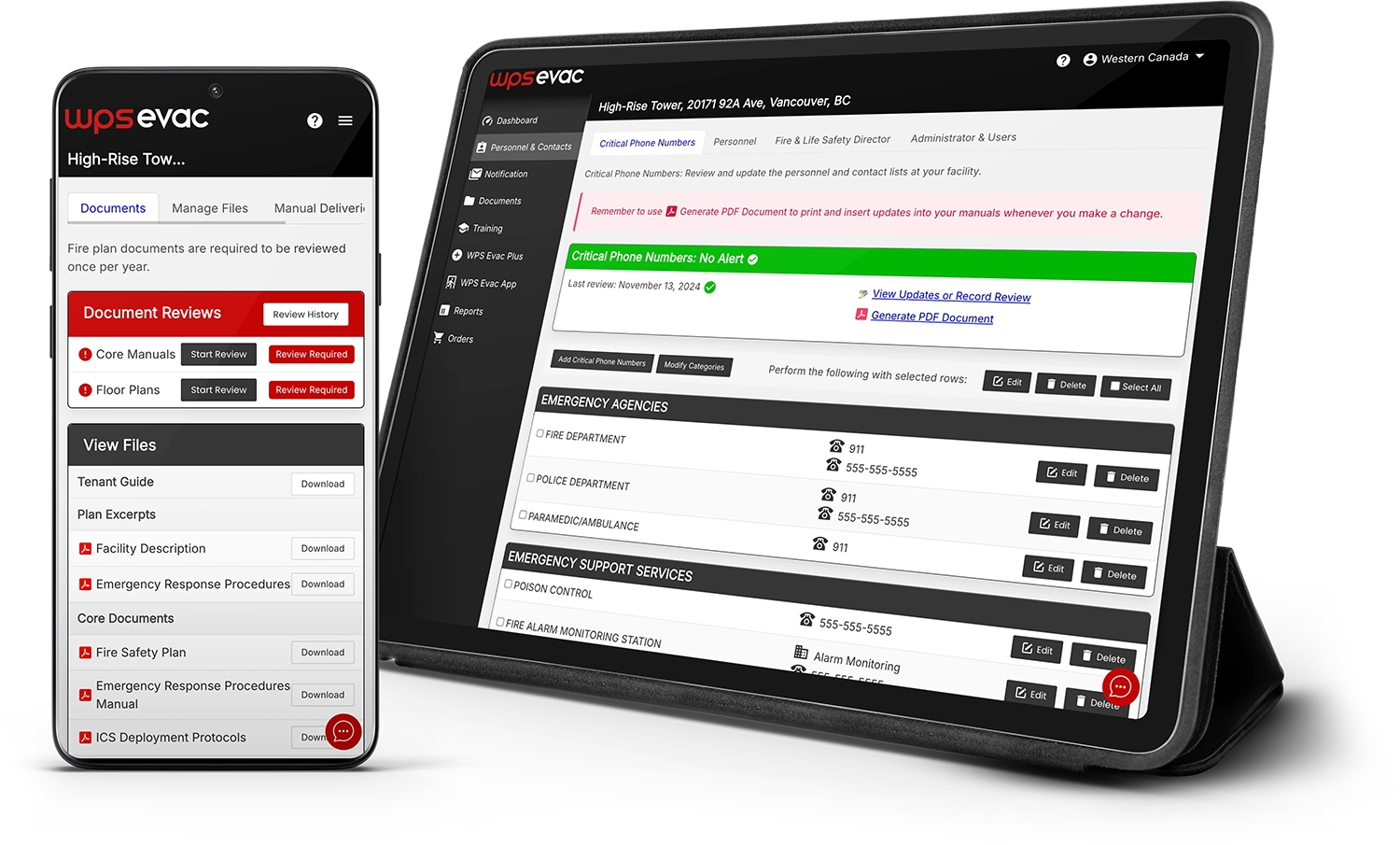
In WPS Evac, the digital program can include fire safety plans, multi-hazard plans, procedures, supporting documents, task alerts, emergency contacts, drill records, training completion records, tenant participation, roll call, notifications, and mobile access where configured. It does not remove the need to follow local requirements for approved paper copies or fire department access.
For property teams, the value is practical: one place to manage the parts of the program that change. That includes the information that often becomes outdated between formal plan reviews, especially tenant rosters, Persons Requiring Assistance (PRA) records, and emergency-role assignments.
How a Paperless Fire Safety Plan Workflow Works
A paperless fire safety plan workflow keeps the approved plan, supporting records, and emergency roles easier to maintain between formal updates.
1. Start with the approved plan
Keep the approved physical copy where code or the fire department requires it, then use WPS Evac Software to manage the working version, supporting documents, procedures, and updates. Teams can pair software access with fire safety plans and multi-hazard emergency plans.
2. Assign the right access
Commercial WPS Evac Software & App supports Corporate, Managers, and Tenants access levels. Corporate users can monitor portfolio activity, Managers can oversee building-level tasks, and Tenants can maintain floor warden teams and identify Persons Requiring Assistance (PRA).
3. Move changing information out of static lists
Use the tenant application, emergency personnel records, PRA information, task alerts, and document management tools to reduce duplicate spreadsheets and printed updates. The goal is not to digitize paper for its own sake; it is to keep operational records current.
4. Put procedures in the WPS Evac App
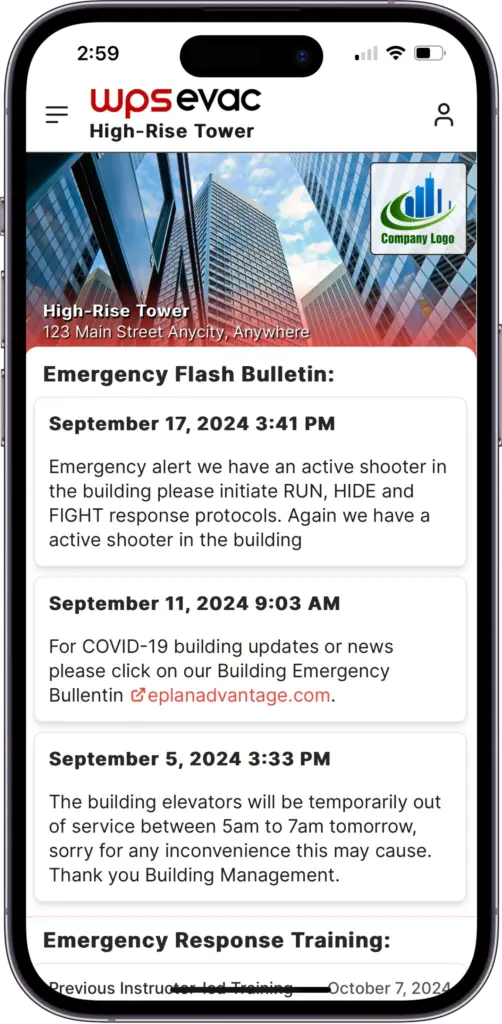
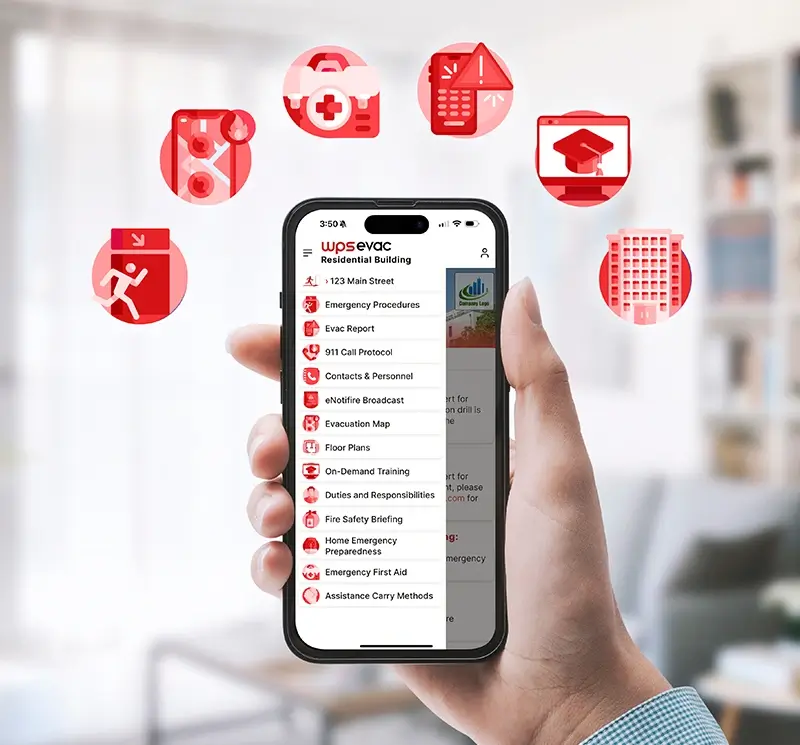
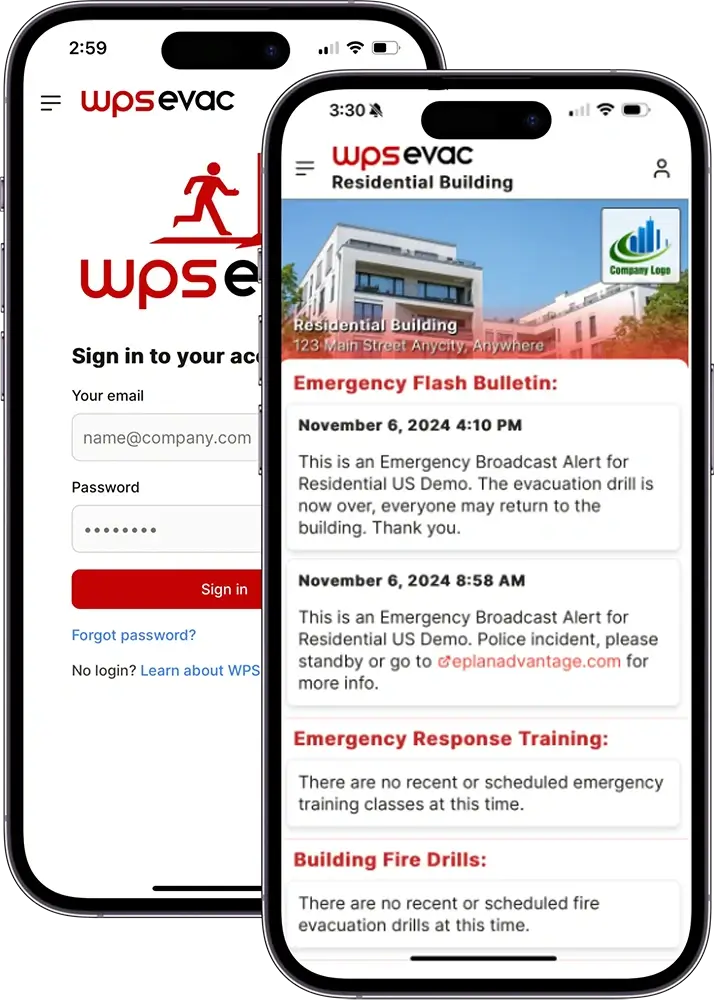
The WPS Evac Mobile App gives authorized building staff, wardens, occupants, and tenants access to building-specific emergency procedures where configured. Updates made in the software can be reflected in the app in real time.
5. Track training, drills, and activity
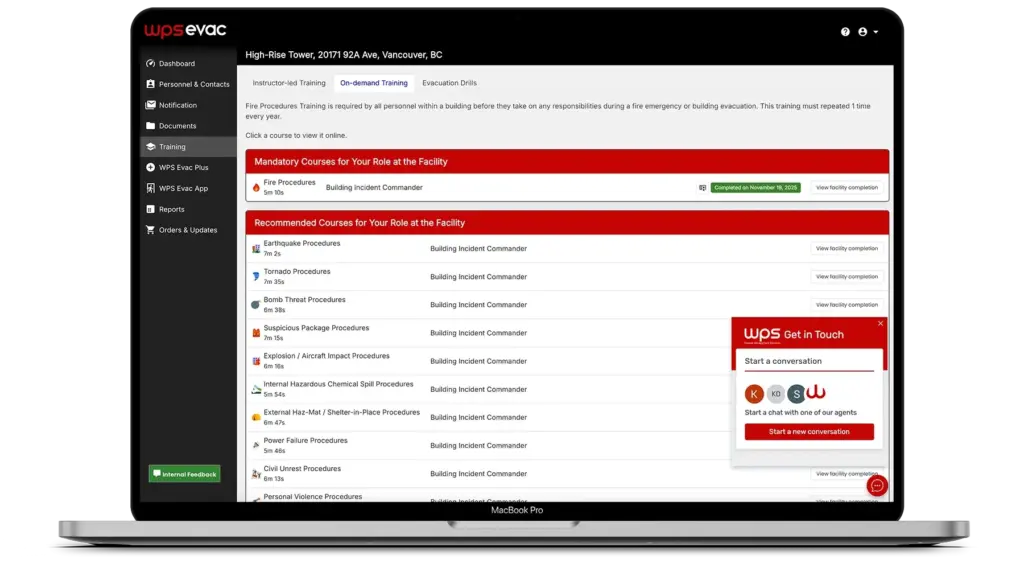
On-demand training can be assigned through WPS Evac, with completion records automatically logged in the software. Managers can also maintain drill records, emergency contacts, activity logs, and reporting to support reviews and inspections.
6. Use alerts and roll call during events
Commercial WPS Evac supports SMS or email broadcasts to registered personnel or groups, communication templates, emergency contacts, evacuation status, and roll call. Residential WPS Evac supports tenant notifications, automated phone-broadcast roll call, and resident evacuation status where available.
Commercial WPS Evac Software & App for Binder Replacement
Commercial WPS Evac Software & App is built for office, retail, mixed-use, and portfolio environments where property teams need controlled delegation.
Commercial buildings often struggle because the people responsible for readiness are spread across management teams, tenants, floor wardens, and emergency personnel. WPS Evac supports Corporate access for portfolio visibility, Managers access for building administration, and Tenants access for delegated tasks such as floor warden teams and Persons Requiring Assistance (PRA) identification.
This is different from a form builder, inspection tool, or standalone mass notification system. WPS Evac connects plans, procedures, compliance tasks, training records, tenant participation, alerts, roll call, and reporting in one building-focused workflow.
Corporate
Managers
Tenants
Residential WPS Evac App and Software for Paperless Resident Readiness
Residential WPS Evac App and Software focuses on tenant communication, resident procedures, app adoption, evacuation status, and activity records.
For apartments, condominiums, strata communities, and other multi-family properties, the binder problem looks different. Residents may not know where to find procedures, management may not know who installed the app, and evacuation accountability can depend on phone calls, paper lists, or fragmented records.
Residential WPS Evac supports centralized plan and document storage, tenant management and participation tracking, real-time notifications through SMS, text-to-speech (TTS), and email, automated roll call, evacuation status, emergency procedures, and digital reporting.
How Replacing Fire Safety Plan Binders Connects to WPS Evac
Replacing fire safety plan binders works best when the digital system connects plans, roles, training, communications, and records.
- Store fire safety plans, multi-hazard emergency plans, procedures, and supporting documents in one cloud-based platform.
- Give users mobile access through the WPS Evac Mobile App download page.
- Assign on-demand emergency training with automatic completion records.
- Use instructor-led emergency training when staff, wardens, or occupants need facilitated instruction.
- Maintain PRA information alongside WPS guidance on assisting Persons Requiring Assistance during emergencies.
- Add WPS Evac Plus when property teams want administrative help with fire and life-safety tasks.
- Extend the same system beyond fire with comprehensive emergency management beyond fire hazards.
Is a Digital Fire Safety Plan Accepted by the Fire Department?
A digital fire safety plan may support operations, but acceptance of digital records, paper copies, and plan format varies by jurisdiction and authority having jurisdiction.
OSHA 29 CFR 1910.38International Fire Code
In the United States, OSHA 29 CFR 1910.38 requires applicable emergency action plans to be written, kept in the workplace, available to employees, and reviewed when the plan, duties, or assignments change. International Fire Code-based guidance also addresses fire safety and evacuation plans, distribution, review, employee training, and drill records in applicable occupancies.
National Fire Code
In Canada, National Fire Code-based fire codes and local fire departments commonly require approved fire safety plans, emergency procedures, supervisory staff responsibilities, fire drill procedures, and drill records for applicable buildings. Some guidance also addresses procedures for occupants who need assistance during emergencies.
WPS Evac should be framed as a tool for managing the emergency program digitally, not as a guarantee of compliance. Keep the approved physical copy where required, confirm local expectations, and use digital workflows to reduce stale information between formal reviews.
How to Move From Binder-Only to WPS Evac
A digital rollout works best when it starts with the approved plan, then moves the changing operational pieces into WPS Evac.
1. Review the existing plan and binder
Identify which documents must stay physically available, which records change often, and which lists are duplicated across binders, spreadsheets, and email.
2. Configure the correct WPS Evac setup
Use Commercial WPS Evac Software & App for commercial tenant, floor warden, PRA, training, drill, and portfolio workflows. Use Residential WPS Evac App and Software for tenant alerts, app adoption, roll call, evacuation status, and resident procedures where available.
3. Upload documents and assign access
Set up Corporate, Managers, and Tenants access where appropriate. Add emergency procedures, contacts, training assignments, emergency personnel records, tenant responsibilities, and supporting documents.
4. Train users and confirm participation
Use on-demand training with automatic completion records, supported by instructor-led training where needed. For residential properties, track tenant app installation and participation where supported.
5. Launch with the emergency plan
Every new WPS Fire Safety Plan or Multi-Hazard Emergency Plan includes a free 1-year WPS Evac subscription, helping teams move from plan creation to live program management.
Digital vs Paper Fire Safety Plan Answers
A digital vs paper fire safety plan comparison comes down to keeping required approved copies while managing the changing program digitally.
What does it do?
A digital fire safety plan workflow helps property teams store emergency plans, update procedures, maintain PRA and warden information, assign training, send notifications, track roll call, and keep records organized beyond the binder.
How does WPS Evac handle it?
WPS Evac Software combines cloud-based plan and document management, Corporate, Managers, and Tenants access levels, mobile procedures, communication templates, SMS or email broadcasts, drill records, training completion records, PRA information, and optional WPS Evac Plus support.
Who is it for?
It is for property managers, building owners, facility managers, condo and strata managers, residential property teams, commercial tenants, floor wardens, and operations leads who need current emergency information without relying only on printed binders.
Digital vs Paper Fire Safety Plan FAQs
These answers address common questions about digital vs paper fire safety plan workflows, fire safety binder alternatives, and WPS Evac.
Should fire safety plans be digital?
Fire safety plans should be digitally managed when the team needs better version control, training records, notifications, roll call, tenant participation, and PRA list maintenance. Keep approved physical copies where required by code or the fire department, and use WPS Evac to run the active program.
Is a digital fire safety plan accepted by the fire department?
It depends on the authority having jurisdiction. OSHA 29 CFR 1910.38 addresses written emergency action plans and employee access in applicable U.S. workplaces, while National Fire Code-based Canadian requirements often address approved fire safety plans, procedures, and records. Confirm local acceptance before replacing any required physical copy.
What is the biggest risk of outdated fire safety plans?
The biggest risk is that emergency teams may act from old information. Outdated Persons Requiring Assistance (PRA) lists, floor warden rosters, tenant contacts, assembly information, or training records can slow response, create confusion, and make post-incident review harder.
How do you keep paper fire safety plans current?
Use the approved paper copy as the controlled document, then manage changing records digitally. WPS Evac helps property teams maintain documents, task alerts, tenant participation, PRA information, drill records, training completion, emergency contacts, and mobile procedures in one system.
How is WPS Evac different from a mass notification tool?
Mass notification tools focus on sending alerts. WPS Evac includes notification capabilities, but also connects emergency plans, building-specific procedures, tenant responsibilities, training records, drill records, PRA information, roll call, emergency contacts, and reporting for property-focused emergency management.
Can we use forms or spreadsheets instead of WPS Evac?
Forms and spreadsheets can collect information, but they usually do not provide a connected emergency-management workflow. WPS Evac is built to connect plan documents, access levels, mobile procedures, training records, notifications, roll call, tenant participation, and activity logs.
Does WPS Evac make a building compliant?
No software should be described as making a building compliant on its own. WPS Evac helps property teams organize, maintain, communicate, and document the emergency program, while owners and managers must still meet applicable code, authority, training, and plan-approval requirements.
Request a Software Demo
After the form is submitted, a WPS representative will contact you to discuss your properties, the right commercial or residential setup, and how WPS Evac can support your fire safety plan workflow.